
About Section
The About section provides key details about the Windows app, such as the installed version and the client brand.
How to Access the About Section
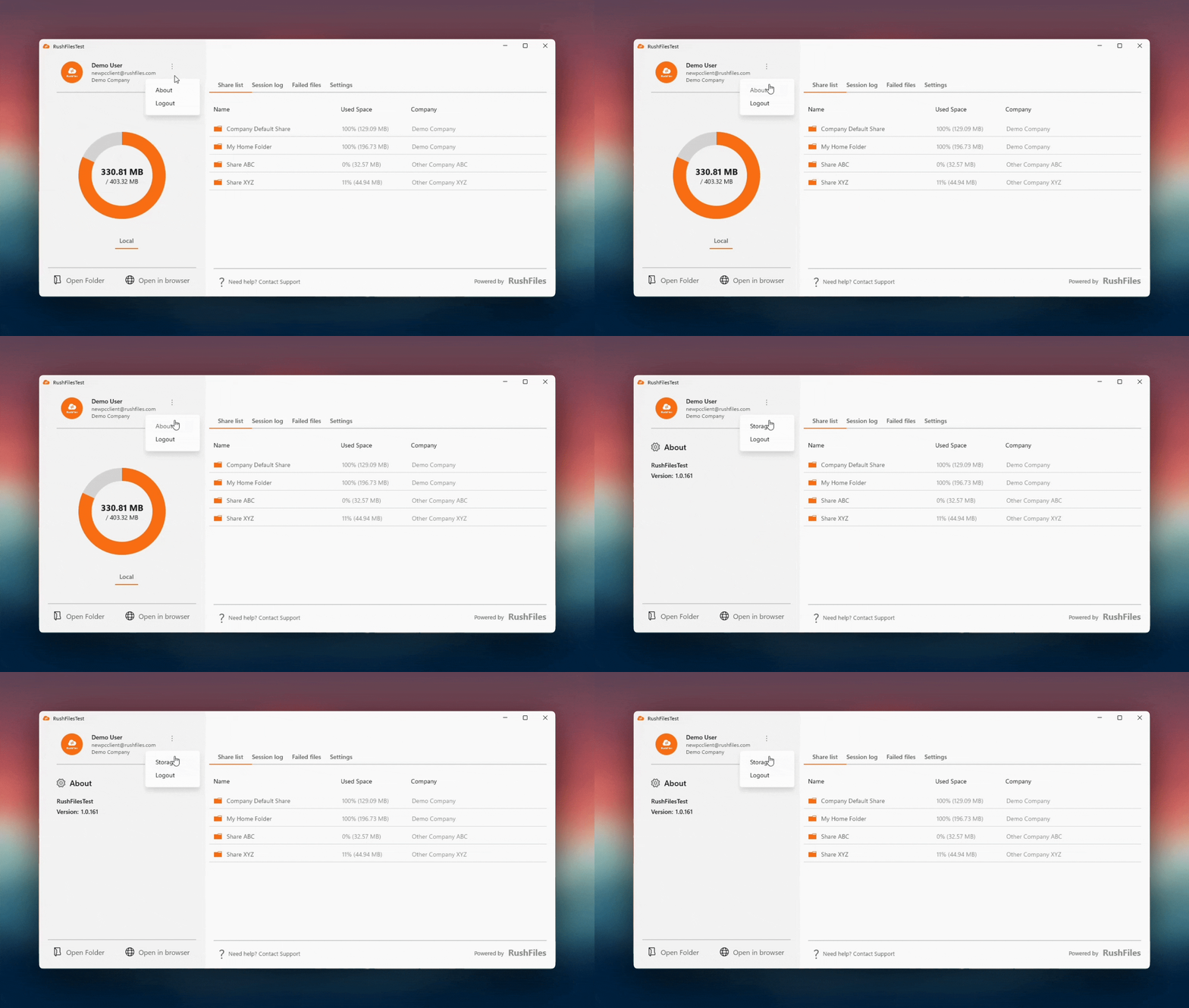
Users can access the About section through the Left Panel.
Steps:
In the Left Panel, locate the vertical ellipsis (three-dot menu) beside the user profile.
Click the ellipsis to open the dropdown menu.
Select About.
What the User Will See
The About window displays:
The Windows app brand
The current version installed on the machine
Need help?
Users, please contact the reseller for assistance. Each reseller manages its own company accounts and provides support for access, configuration, and troubleshooting.
Partners and resellers, please contact the RushFiles Support team by submitting a new ticket at: Submit New Support Ticket