
The Windows App allows the user to securely sign out at any time. Logging out removes the Sync folder from the machine’s active session and returns the app to the login screen.
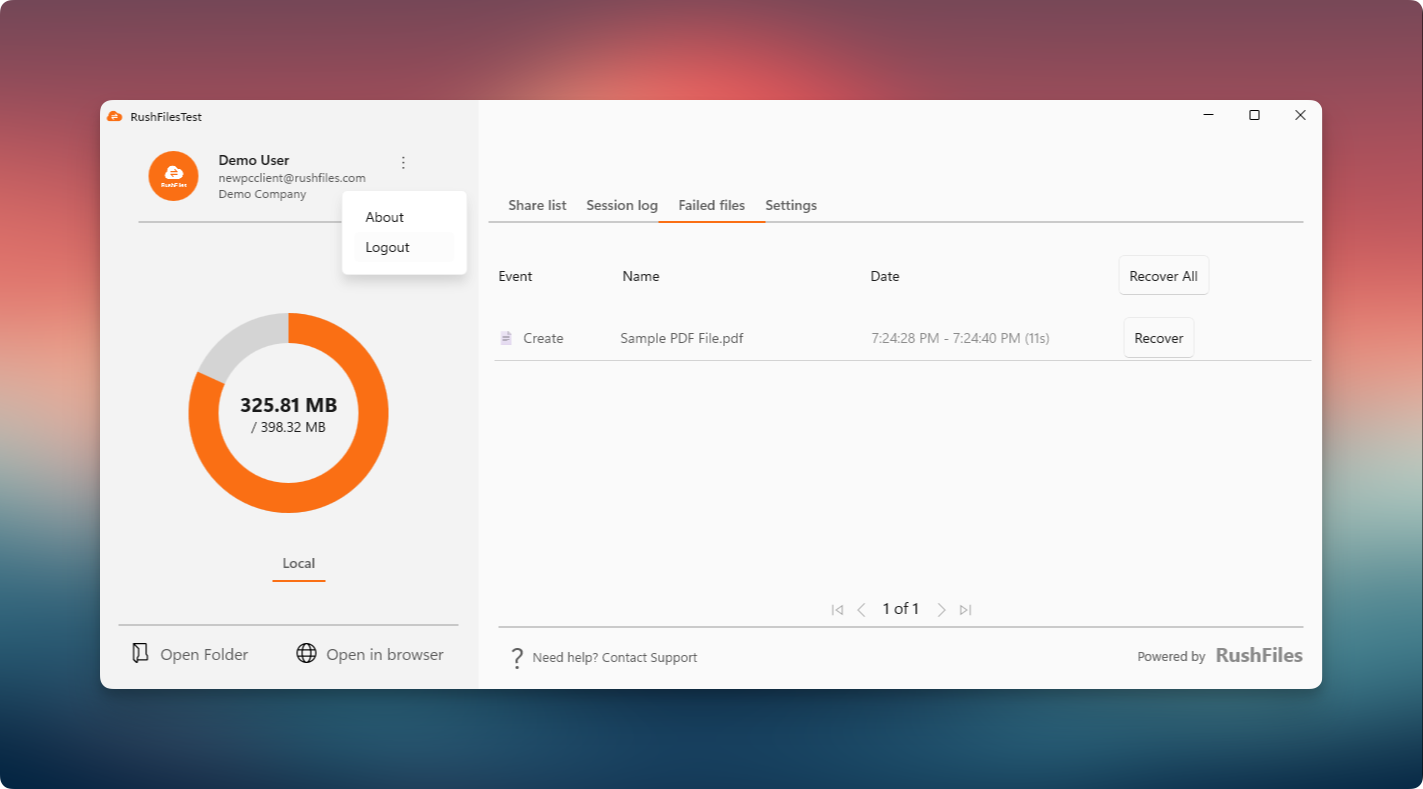
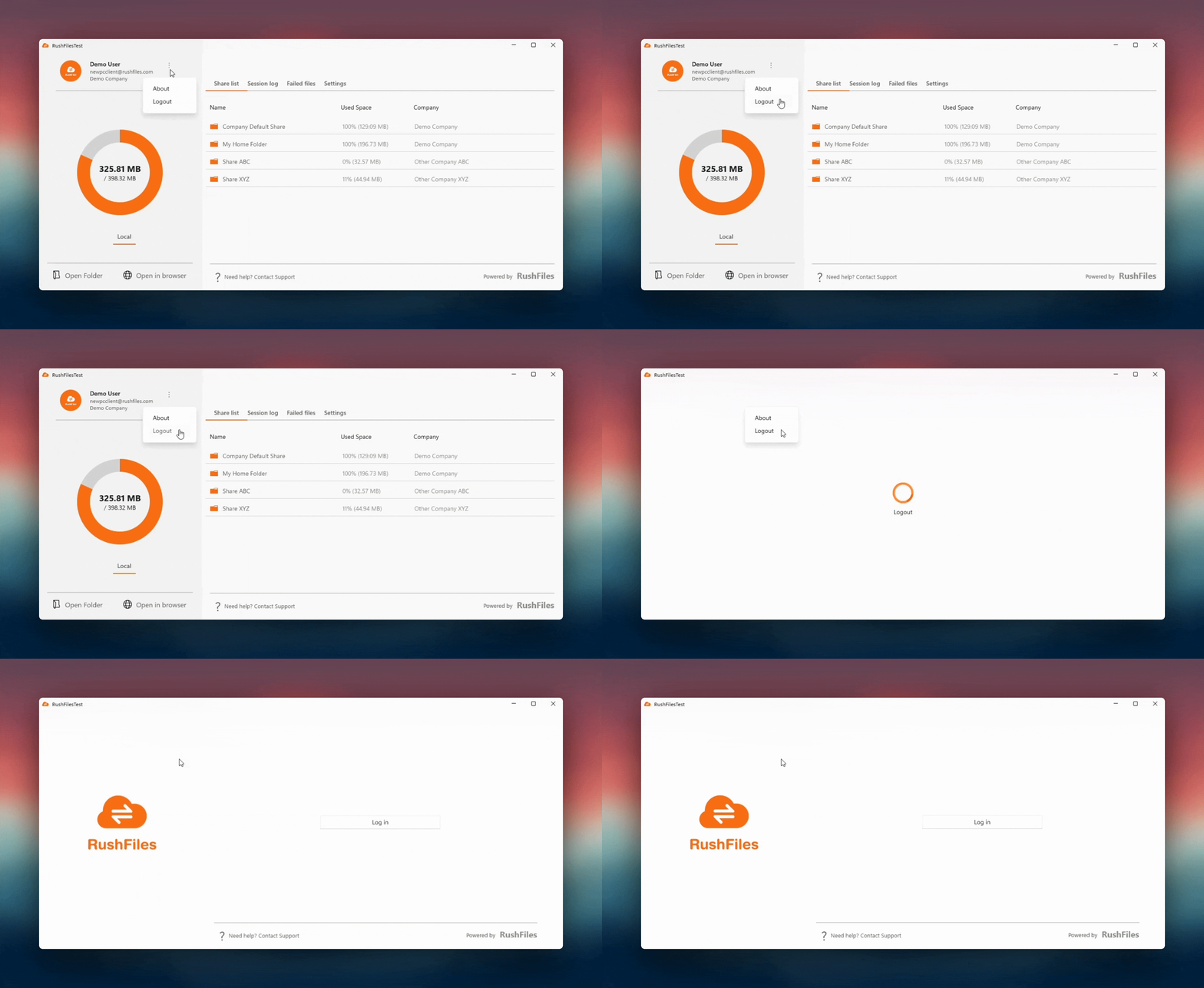
User clicks the vertical ellipsis (⋮) icon beside the account information on the left panel.
A dropdown menu will appear.
User selects Logout.
The PC Client will automatically proceed with the logout process.
Notes:
- If the user has many Shares or a large number of downloaded (cached) files, the logout process may take a short moment to complete.
Once the logout is finished, the Sync folder disappears and the application returns to the login screen.
Any pending file transfers must be completed before the logout can proceed.
Users, please contact the reseller for assistance. Each reseller manages its own company accounts and provides support for access, configuration, and troubleshooting.
Partners and resellers, please contact the RushFiles Support team by submitting a new ticket at: Submit New Support Ticket