
The RushFiles web interface is structured to streamline account configuration and reseller management. Two key sections in the left-side navigation are My Account and Reseller Features. This article provides an overview of what each section contains and how they contribute to user and reseller-level administration.
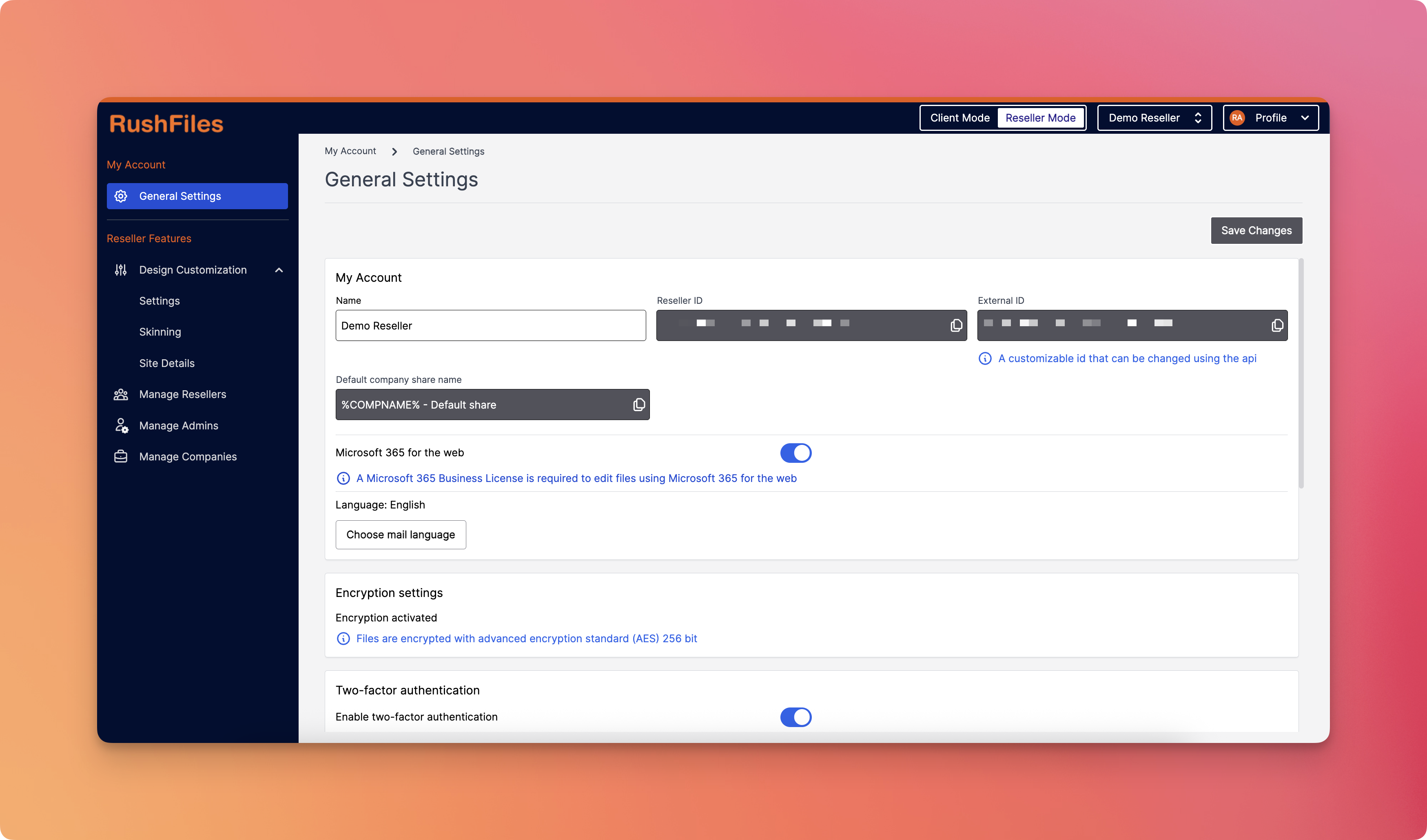
The My Account section is where users can manage core settings related to their individual account or tenant-level configurations. It includes:
This menu allows access to essential configurations that apply to the overall account environment. Depending on your access rights, it may include options such as domain settings, user management defaults, or branding settings that affect the global setup of the account.
The Reseller Features section is accessible only to users with Reseller Admin permissions. It contains tools to configure and manage reseller-specific settings, users, and companies. It includes the following menus:
Allows resellers to configure branding elements such as colors, logos, login screen styles, and more. This enables each reseller to tailor the visual identity of their environment to match their company branding.
This is where a Reseller Admin can view, create, and edit other reseller accounts under their hierarchy. It supports management of sub-resellers, allowing for structured multi-level administration.
Used to create and manage Reseller Admin accounts. This section provides controls for updating admin details, resending invites, managing 2FA, and viewing login history.
Allows a Reseller Admin to create and administer company accounts under their reseller. From here, you can configure company-specific settings, assign storage, and manage associated users.
- Access to the Reseller Features section is restricted to Reseller Admins only.
- If you do not see one or more of these menus, it may be due to your user role or permissions.
- All configurations made within Reseller Features apply only to the entities (resellers or companies) under the current reseller’s hierarchy.
- The My Account > General Settings menu is typically accessible to all admin users but may vary depending on tenant-level restrictions.
Please contact your top reseller or organization's administrator if you have questions or need help with the service.