
The Design Customization section is available exclusively in Reseller Mode and offers tools for customizing the visual presentation and branding of your reseller portal and company accounts. It is divided into three sub-menus:
- Settings
- Skinning
- Site Details
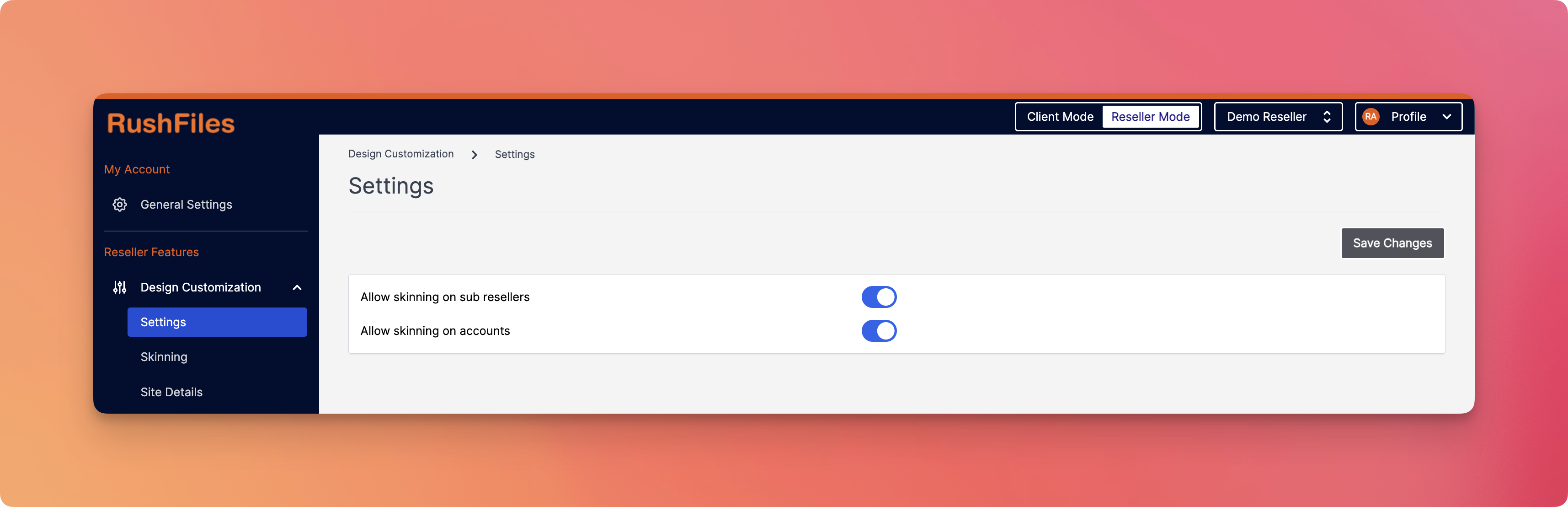
Each sub-menu enables specific branding and configuration tasks that help Resellers maintain control over how their interface and sub-reseller/client environments look and behave.
This section controls permissions related to skinning (visual theming) capabilities for both sub-resellers and accounts.
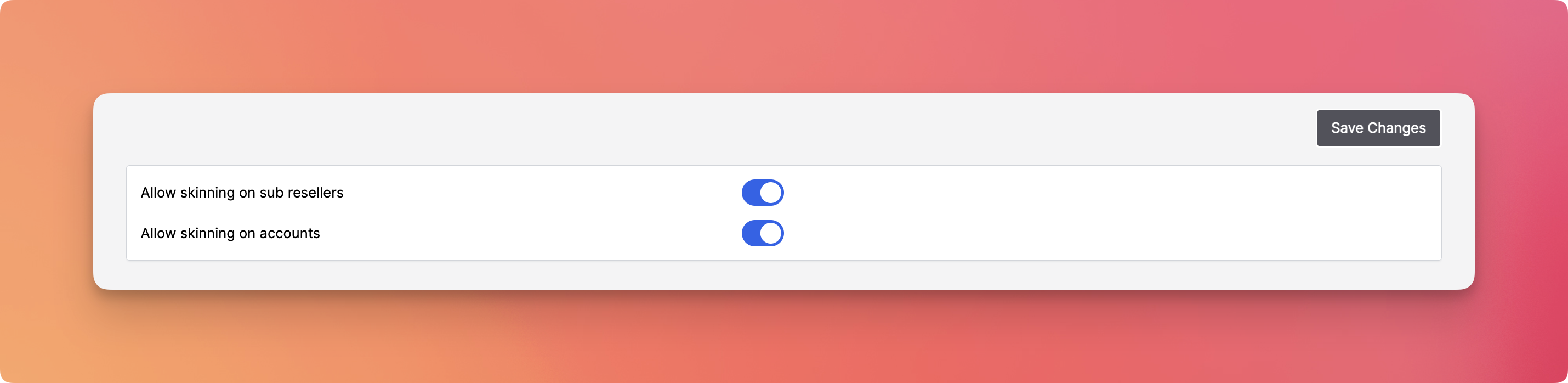
Available Toggles:
- Allow skinning on sub resellers - Enables sub-resellers to access their own design customization tools.
- Allow skinning on accounts - Grants the ability to customize the design per end-company account under the reseller.
This menu provides various visual branding options including logos, favicon, color palette, and optional background images. These settings apply to the Reseller portal and can be extended to sub-resellers or company accounts depending on the permissions configured in the Settings tab.
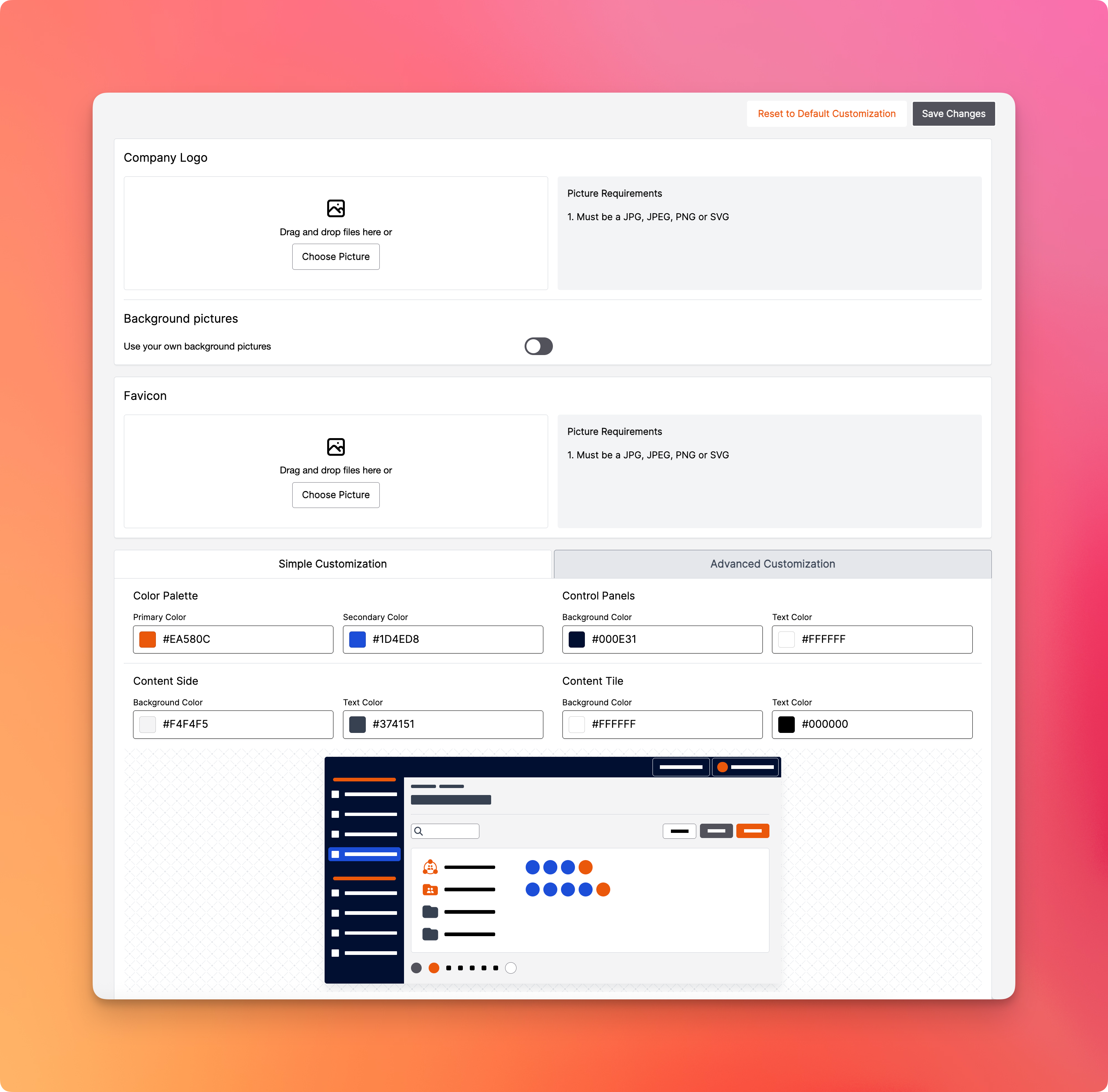
Key Customization Areas:
- Company Logo - Upload a JPG, JPEG, PNG, or SVG image file for branding.
- Favicon - Set a favicon (browser tab icon) for better visual identification.
- Background Pictures - Optionally upload and use your own background images by enabling the toggle.
- Color Palette - Define your primary and secondary colors.
- Control Panels, Content Side, and Content Tile - Customize the background and text colors for each visual element of the UI. A live preview is displayed below for easy reference.
Two customization modes are available:
- Simple Customization: Preset fields to quickly define colors.
- Advanced Customization: (If available) for more detailed CSS or UI configurations.
This section lets you define metadata and the subdomain associated with your reseller instance.
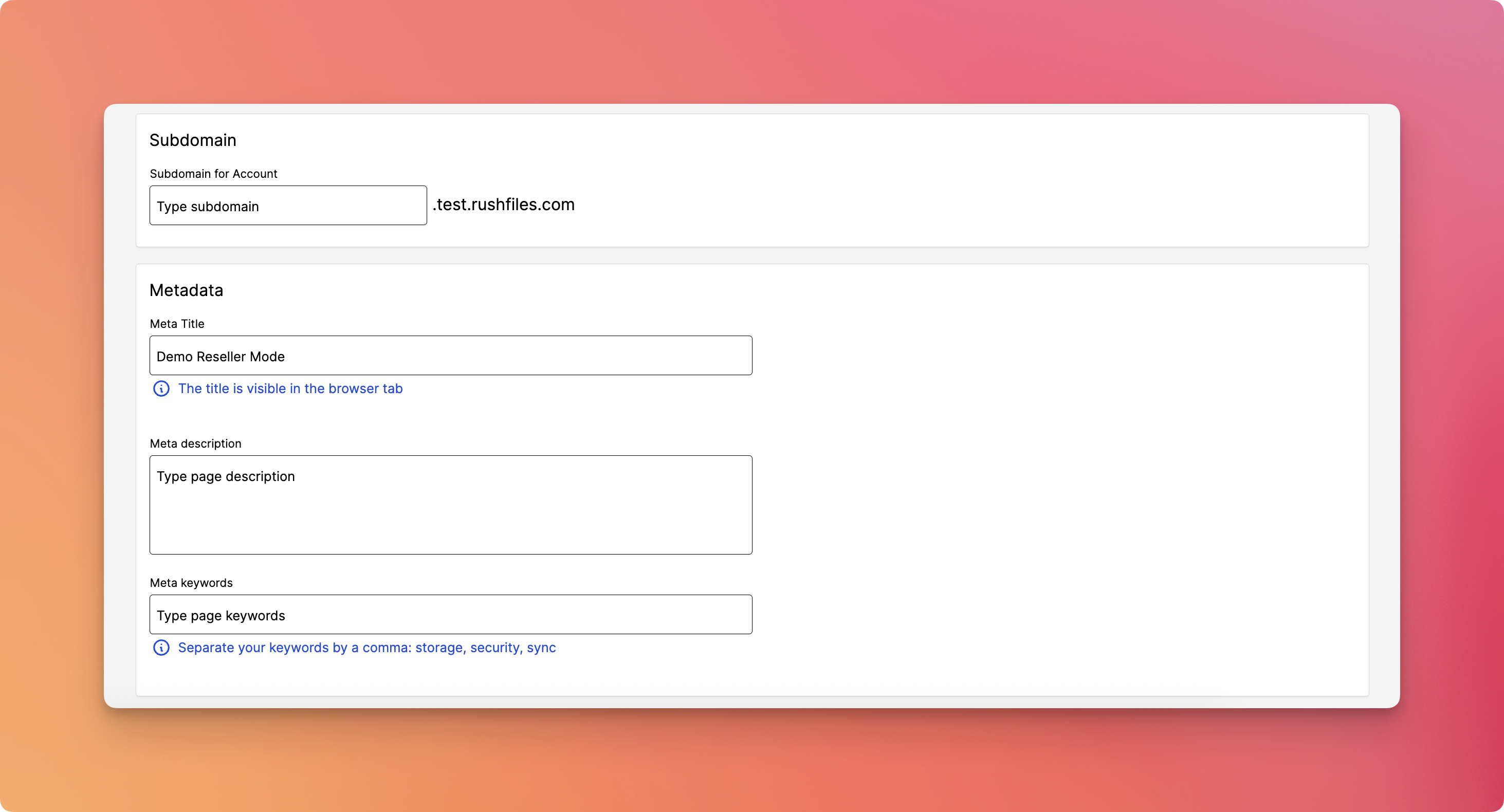
Fields:
- Subdomain for Account - Set the subdomain prefix (e.g., yourbrand.test.rushfiles.com).
- Meta Title - This title appears in the browser tab.
- Meta Description - Add a short description of the page for search engines.
- Meta Keywords - Enter comma-separated keywords for SEO purposes (e.g., storage, security, sync).
Please contact your top reseller or organization's administrator if you have questions or need help with the service.