
Reseller Mode is an upgraded and integrated version of the traditional Reseller Administration Portal previously accessed via e.g., rushfiles.net/reseller. It brings essential reseller management features directly into the RushFiles Web Client for improved accessibility and a seamless experience.
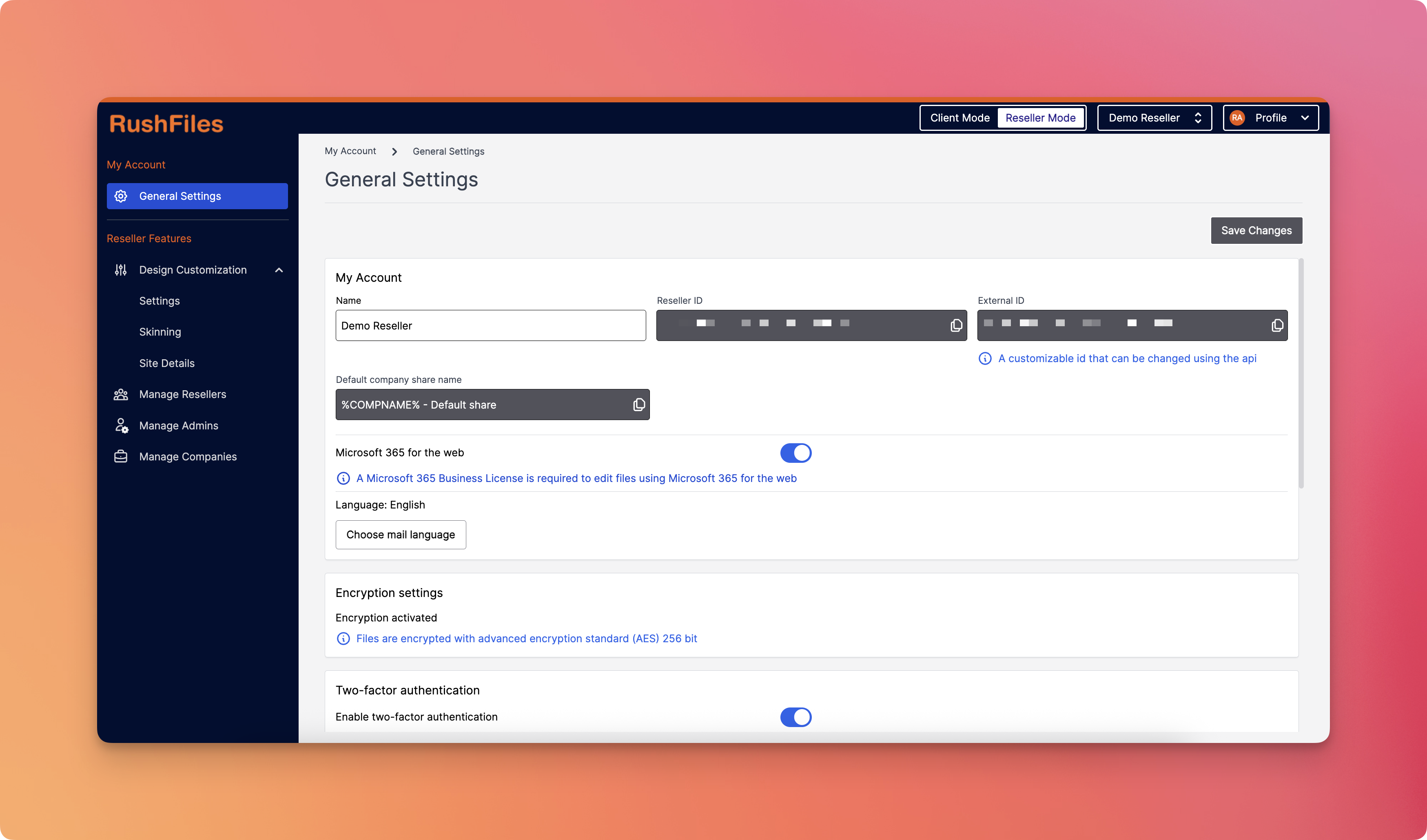
This new mode is designed for Reseller Admins—administrator users of companies that resell RushFiles—and allows them to manage their reseller configuration and customer companies all within the standard Web Client interface.
- Reseller Mode is available only to users with appropriate reseller admin roles.
- Any limitations or restrictions from the old interface are being phased out or improved in the integrated version.
- Updates or enhancements to Reseller Mode will be rolled out via standard app updates and announced through the RushFiles Partners and internal communications.
- No separate URL or session needed to manage reseller settings.
- Modern interface consistent with the Web Client experience.
- Faster access to tools with real-time context switching.
- Improved branding tools for resellers.
- Streamlined company management, from user provisioning to feature control.
Here's a quick improvement comparison between Reseller Mode and the Old Reseller Interface:
| Feature | Old Reseller Interface | New Reseller Mode |
| Access Method | Separate login via dedicated URL | Integrated into Web Client (Switcher) |
| User Experience | Standalone interface | Seamless blend with RushFiles UI |
| Admin Scope | Only reseller-level actions | Full scope |
| Design Customization | Basic skinning options | Improved skinning interface |
| Company Management | Available | Improved and integrated controls |
| Sub-Reseller Management | Yes | Faster, response, and modern UI |
| Consistency with Web Client | Different interface style | Unified UI for better usability |
To enter Reseller Mode, users must:
- Be logged in as a Reseller Admin.
- Use the Web to Reseller switcher button located at the top-right of the Web Client interface.
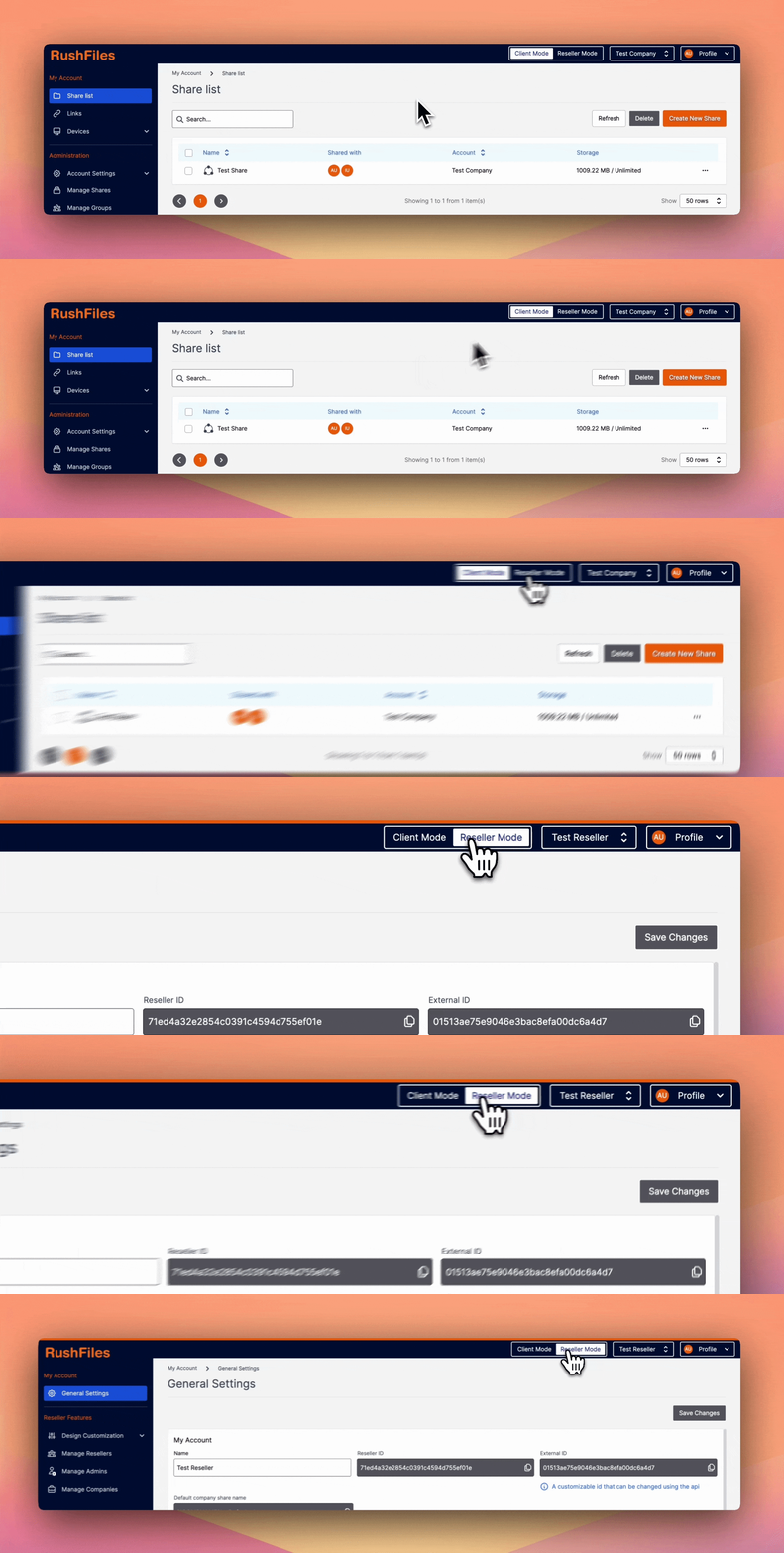
No need to open a separate URL—everything is now accessible within the unified Web Client.
Reseller Mode consists of two main sections, each containing multiple configuration and management tools:
- My Account — This section focuses on settings specific to the reseller admin’s own account.
- Reseller Features — This section provides tools to manage all reseller-level configurations and downstream customers.
Please contact your top reseller or organization's administrator if you have questions or need help with the service.